Mục Lục
How to Reduce Cart Abandonment on Shopify with AI Customer Support
thg 11 12 2025
Mục Lục
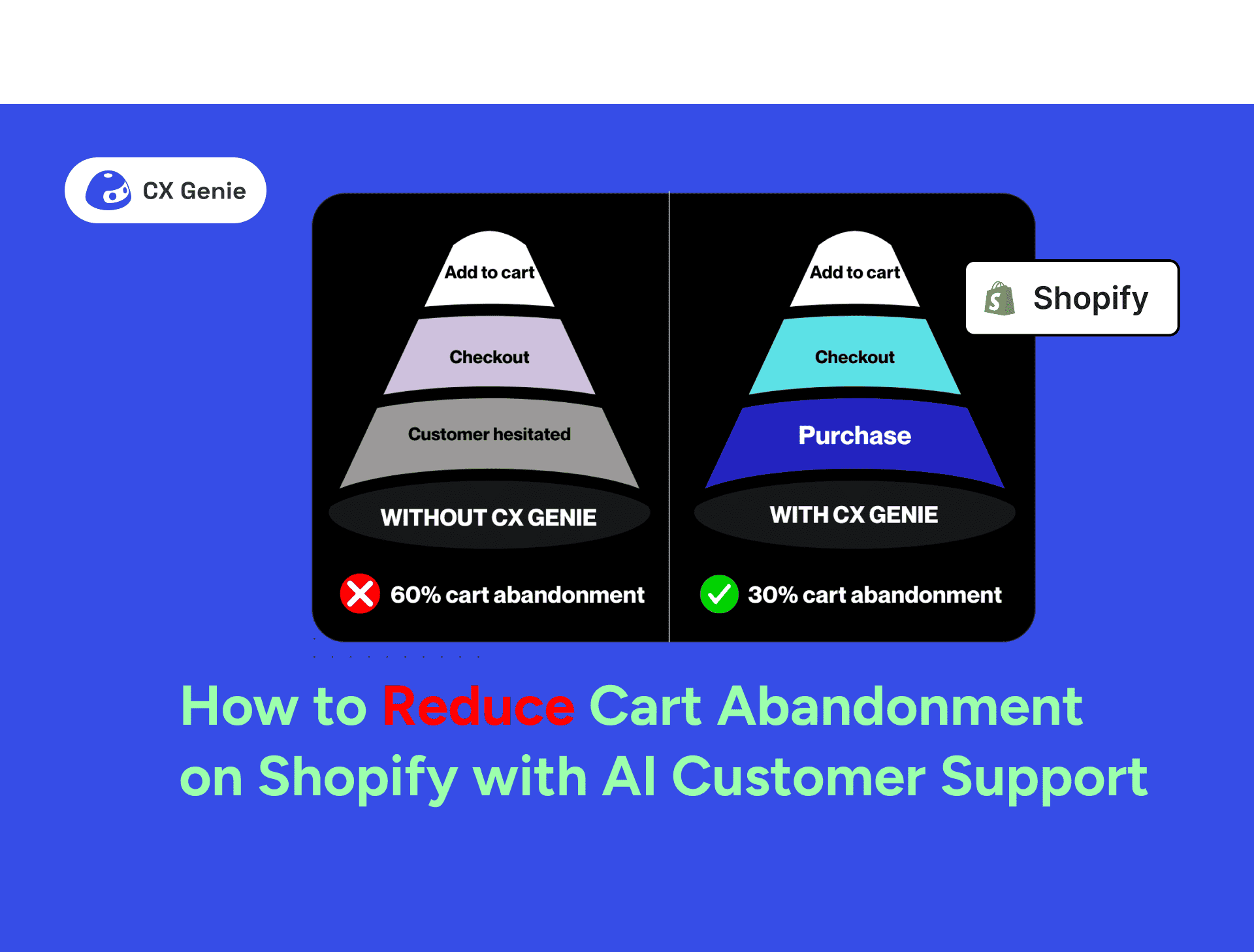
Cart abandonment is a persistent challenge for Shopify merchants. Visitors may browse products, add items to their cart, and then leave without completing the purchase. Studies show that nearly 70% of online shopping carts are abandoned, leading to lost revenue and wasted marketing spend.
This article explores why cart abandonment on Shopify occurs and how AI-powered customer support, specifically CX Genie, can help recover sales. You’ll learn practical strategies for checkout optimisation, real-time support, and automated workflows that turn abandoned carts into completed conversions.
Why Cart Abandonment Matters
Abandoned carts do more than cost a single sale, they reduce ROI on ads, social media campaigns, and traffic investments. For example, a Shopify store with $50,000 in monthly traffic could recover thousands of dollars by addressing checkout friction and hesitation.
Shopify’s convenience also increases competition; shoppers can easily switch to alternatives. Reducing cart abandonment is therefore crucial for improving conversions, building trust, and fostering repeat purchases.
Root Causes of Cart Abandonment
Unexpected Costs
Hidden shipping fees, taxes, or handling charges are the main cause of abandoned carts. Shoppers expect transparent pricing.
Solution: Show shipping and taxes upfront. Use banners like “Free shipping over $X” to reduce friction.
Complicated Checkout Flows
Long forms, forced account creation, or multi-step checkouts frustrate users, especially mobile shoppers.
Solution: Enable guest checkout and minimise fields to streamline the process.
Lack of Real-Time Product Information
Shoppers may abandon carts because they can’t quickly confirm details: product name, description, price, or availability.
Solution: CX Genie can answer product-related questions instantly whether on your Shopify store or social channels giving customers the confidence to continue checkout.

Trust and Security Concerns
Without clear trust signals, customers hesitate to enter payment details.
Solution: Display SSL certificates, verified payment logos, and customer reviews.
Technical and Mobile Issues
Slow pages or non-responsive designs increase abandonment risk.
Solution: Test checkout pages on multiple devices and optimise for mobile-first browsing.
How CX Genie Helps Reduce Cart Abandonment

Instant Product Support Across Channels
CX Genie answers questions about product names, descriptions, prices, both on your Shopify website and connected social channels. Shoppers no longer need to leave the page to find information, reducing hesitation and increasing the likelihood of completing a purchase.
Embedded Chat Widget
Adding CX Genie as a chat widget directly on Shopify allows customers to ask questions in real-time during checkout. Whether they’re unsure about sizing, promotions, or delivery options, the AI provides instant responses, preventing them from abandoning their carts.
Checkout Optimisation Best Practices
- Guest Checkout: Allow purchases without account creation.
- Transparent Costs: Display shipping, taxes, and fees upfront.
- Multiple Payment Options: Shopify supports PayPal, Shop Pay, Apple Pay, Google Pay, and more.
- Mobile Optimisation: Ensure buttons, forms, and checkout pages render well on smartphones.
- Live Product Assistance: Integrate CX Genie chat widget to answer questions instantly during checkout.
Trust Signals and Real-Time Support
- Live Chat: CX Genie provides 24/7 assistance on Shopify pages. Customers get answers to product questions, policy clarifications, or promotions in real time.
- Trust Badges: Show SSL, secure payment logos, and customer reviews.
Using Data to Identify Drop-Offs
- Shopify Analytics: Monitor sessions converted and funnel drop-offs.
- Segmentation: Identify trends by device, traffic source, or cart value.
Incentives & Smart Offers
- Targeted Discounts: AI identifies shoppers likely to respond to incentives without hurting margins.
- Free Shipping Alerts: Highlighted dynamically based on cart value.
- Limited-Time Nudges: “Your cart is reserved for 2 more hours” encourages urgency.
Quick Takeaways
- Shopify cart abandonment averages ~70%.
- Main causes: hidden costs, checkout friction, insufficient support, product uncertainty.
- CX Genie provides instant product answers and a chat widget to reduce hesitation.
- Checkout optimization, trust signals, and mobile-friendly design are critical.
- Automated follow-ups and AI workflows improve post-abandonment recovery.
- Data-driven insights allow continuous improvement in conversion rates.
Conclusion
Reducing cart abandonment on Shopify requires addressing friction and hesitation. By integrating CX Genie, merchants can provide instant answers to product questions and real-time support via a chat widget, guiding customers seamlessly through checkout.
Start by auditing your checkout process, integrating CX Genie for proactive assistance, and automating abandoned-cart follow-ups. Every abandoned cart is an opportunity with AI support, hesitation becomes conversion.
FAQs
1. How does CX Genie reduce cart abandonment?
It answers product-related questions instantly and provides a Shopify chat widget to assist customers during checkout.
2. What’s a good Shopify cart abandonment rate?
Below 60% is strong; most stores see 70–75%.
3. Should I force account creation at checkout?
No. Guest checkout is recommended to reduce friction.
4. How can I track improvement?
Monitor Shopify Analytics for funnel drop-offs and recovery rates, and measure engagement with CX Genie chat interactions.
What product questions do your customers ask most during checkout? Share your experiences below, and tag CX Genie on social media if these tips helped reduce your Shopify cart abandonment!
References
- Shopify Blog: How to Reduce Shopping Cart Abandonment (2025)
- OptiMonk: Abandoned Cart Shopify: 9 Strategies That Work
- ConvertCart: Prevent Shopify Cart and Checkout Abandonment
- CX Genie: AI Customer Support for Ecommerce (https://www.cxgenie.ai)




Đăng ký các mẹo & tin tức hữu ích về AI.
Bài viết liên quan