A SMART ADDITION for FREE: The Auto-Close After Inactivity Feature
Dec 18 2024
A SMART ADDITION for FREE: The Auto-Close After Inactivity Feature
Let’s dive into how this feature works, its benefits, and why it’s becoming a must-have for modern support teams.
What Is the Auto-Close After Inactivity Feature?

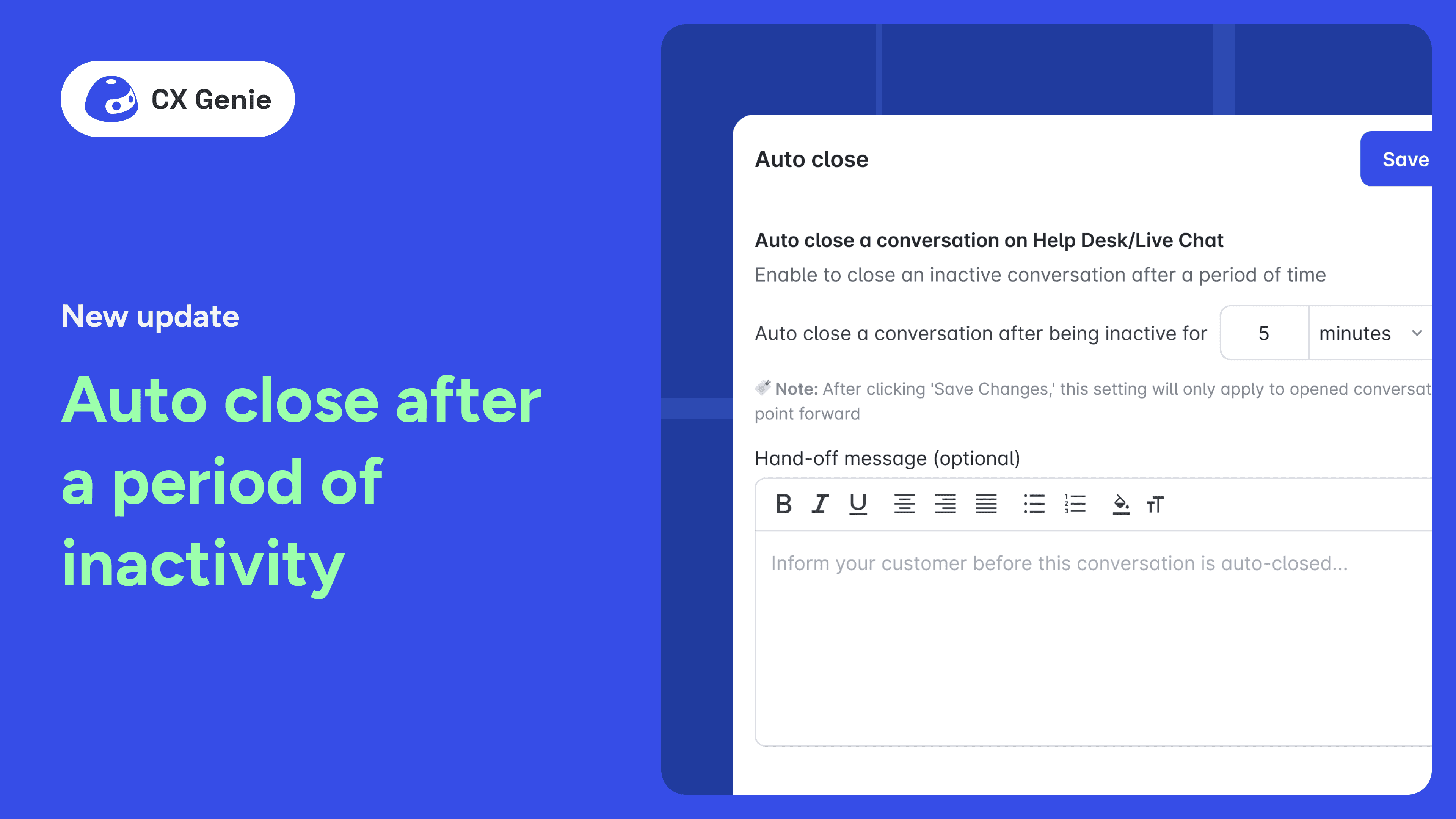
By default, CX Genie automatically closes chats after 8 hours of inactivity. Inactivity refers to a period where no messages are exchanged between the customer and the support team. While this default setting is practical in many scenarios, feedback from our users highlighted the need for greater customization.
As a result, CX Genie now allows businesses to adjust the inactivity period to fit their specific requirements. Additionally, the feature provides an option to send a tailored message to customers when the chat is closed, ensuring a smooth and professional experience.
How to Use the Auto-Close Feature
Implementing the Auto-Close After Inactivity feature is straightforward. For detailed instructions, watch this video for a step-by-step walkthrough:
Real-Life Scenario: Putting Auto-Close to the Test
Let’s walk through an example to see how this feature works in a real-world setting:
- A customer starts a chat at 4:00 PM, asking about a product feature.
- The support team responds promptly but doesn’t hear back from the customer.
- The Auto-Close feature, set to 2 hours of inactivity for testing, kicks in.
- At 6:00 PM, the chat automatically closes, and the customer receives a message saying, “Thank you for reaching out. This chat has been closed due to inactivity. Please start a new chat if you need further assistance.”
The result? A seamless experience for both the customer and the support team.
Why Is This Feature Important?
- Improves Efficiency
The Auto-Close feature ensures that inactive chats don’t clutter your dashboard, allowing support teams to focus on active conversations. This streamlined approach reduces cognitive load on agents and enhances overall productivity. - Enhances Customer Experience
Customers appreciate clear communication. By sending a polite closing message, businesses maintain professionalism and avoid leaving customers in limbo. - Customizable for Different Needs
Every business is unique. A SaaS company may prefer to close chats after 24 hours, while an e-commerce store might set a shorter duration to keep workflows dynamic. CX Genie’s flexibility caters to these diverse needs. - Encourages Better Follow-Ups
By closing chats after inactivity, the system signals to agents when a customer needs a follow-up. This ensures that no customer query is overlooked.
Best Practices for Using the Auto-Close Feature
To get the most out of this feature, consider these tips:
- Set Reasonable Time Frames: Balance giving customers enough time to respond with keeping your support queue organized.
- Personalize Your Closing Message: A friendly, empathetic tone can leave a lasting positive impression on customers.
- Communicate the Policy: Inform customers upfront about chat inactivity rules so they’re not caught off guard when a conversation closes.
- Regularly Review Settings: Use analytics to evaluate the effectiveness of your chosen inactivity duration and make adjustments as needed.
Feedback from CX Genie Users
Since launching this enhanced feature, we’ve received glowing feedback from users:
- Anna M., SaaS Manager: “It keeps our chat interface clean and ensures that no customer message slips through the cracks.”
- Michael T., E-commerce Owner: “I love the flexibility of setting custom time frames. It’s helped us balance efficiency with excellent customer service.”
- Emily R., Support Agent: “Being able to add a personal touch with custom closing messages has made a big difference in how customers perceive our service.”
Ready to Transform Your Customer Support?
The Auto-Close After Inactivity feature is just one of many tools CX Genie offers to help businesses provide top-notch customer support.
👉 THIS FEATURE IS FREE. Sign up today and experience the difference CX Genie can make in streamlining your support operations!




Join our newsletter!
Related articles